Lumi knowledge base

Use Lumi with a clear view of what is free and what needs Pro.

These guides cover the current iPhone app: expenses, recurring payments, reports, setup currency, local reminders, and Lumi Pro access.

Log and manage expenses

Start from Home. The screenshot shows the current-month total, today's list, upcoming recurring payments, and the add button.

Use this screen for

  • Adding expenses in the setup currency you chose during onboarding.
  • Checking recent spending before opening the full transaction list.
  • Editing or deleting a saved expense from the transaction detail flow.

Quick text entry works with your setup currency. Lumi still uses one currency per user and does not convert amounts.
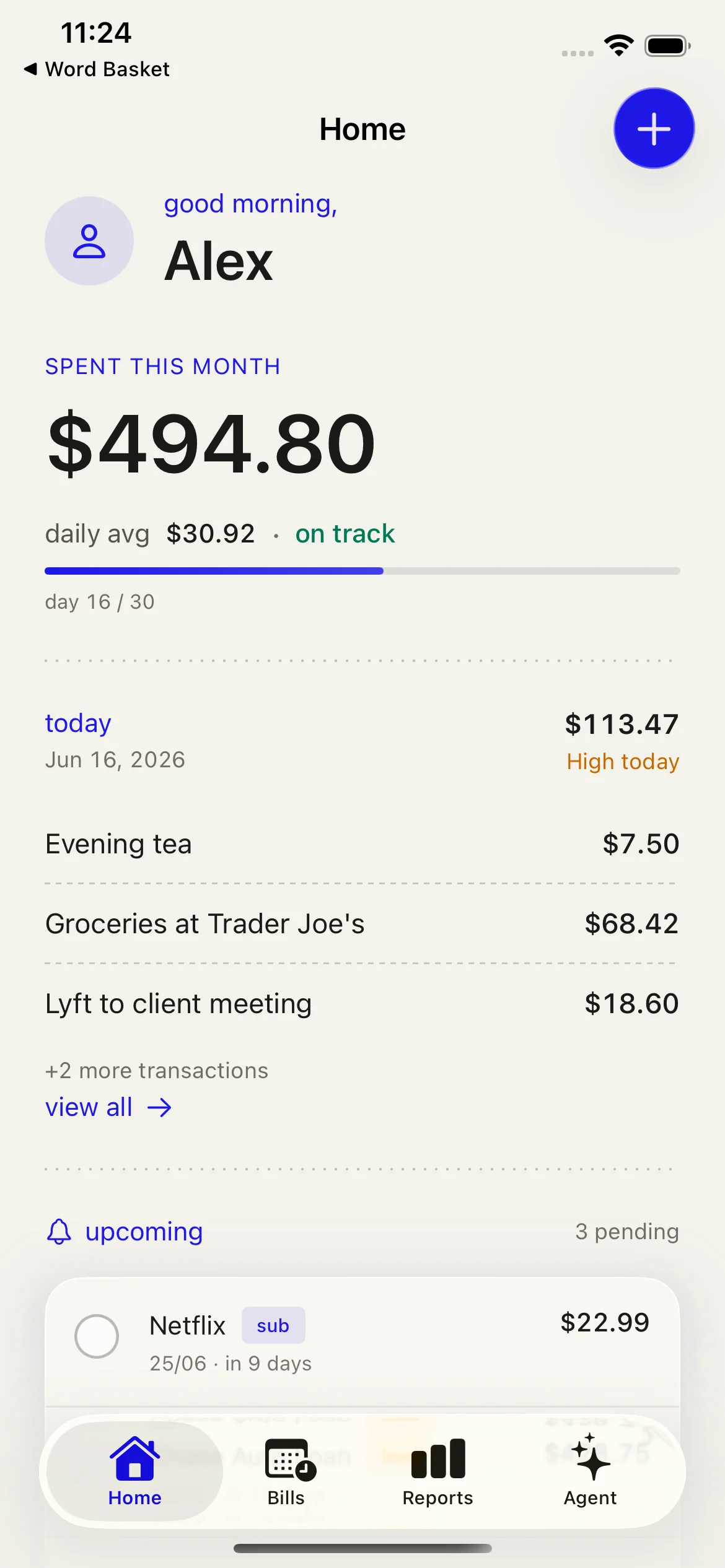
Lumi Home screen showing current-month spending, today's expenses, and upcoming recurring payments.
Home is the everyday entry point: total, today, upcoming, then add.

Track recurring payments

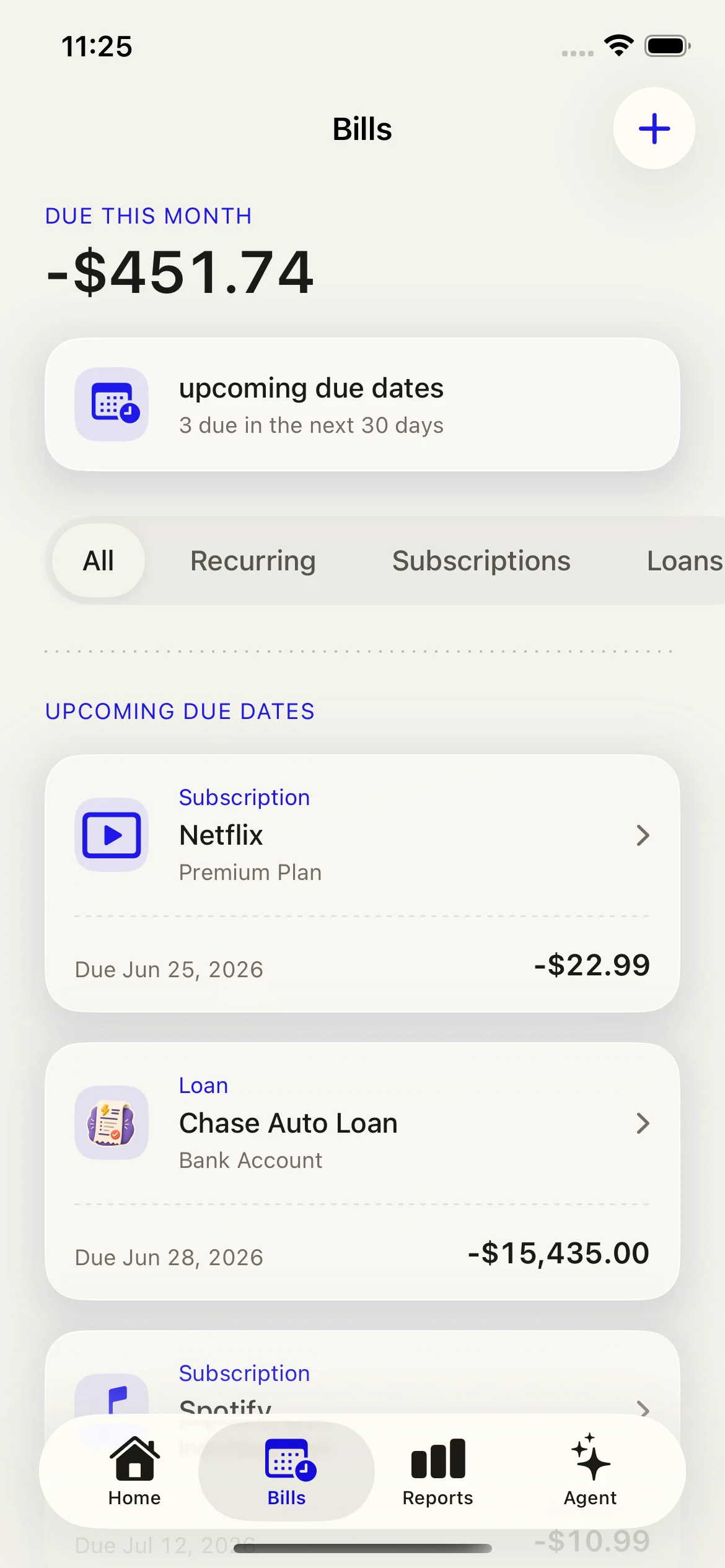
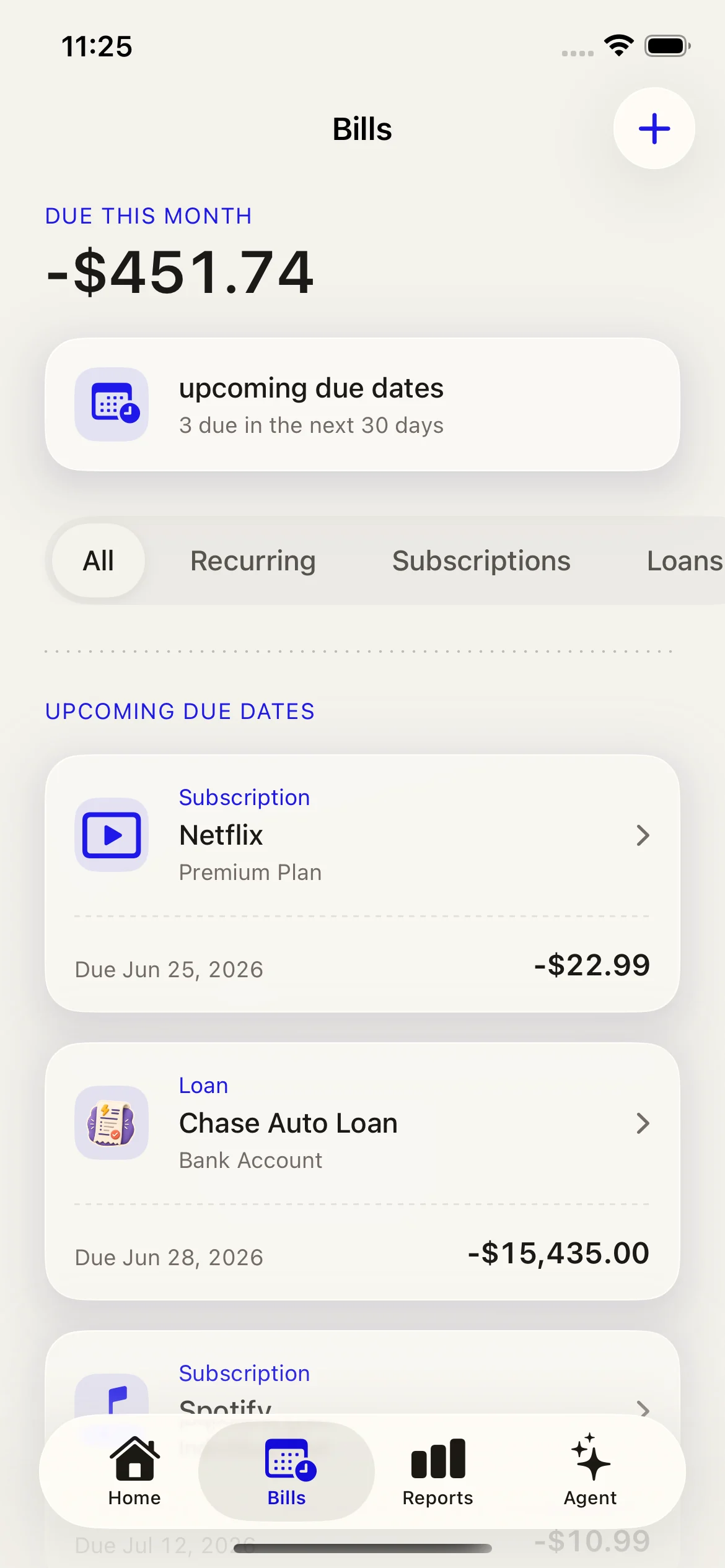
Use two separate screens: Subscriptions for services, Debts for fixed installment payments. Both screens keep the next due date visible.

Free limits shown by the app

  • Free users can keep up to 3 active subscriptions.
  • Free users can keep up to 2 active installment debts.
  • Due-date reminders are local notifications on your iPhone.

If a month does not have your chosen due day, Lumi schedules that payment on the month's final day.

Lumi Subscriptions screen showing active recurring subscriptions and due dates.
Subscriptions are service-style recurring payments.
Lumi Debts screen showing fixed installment debts and progress.
Debts are fixed installment plans with progress.

Understand current-month reports

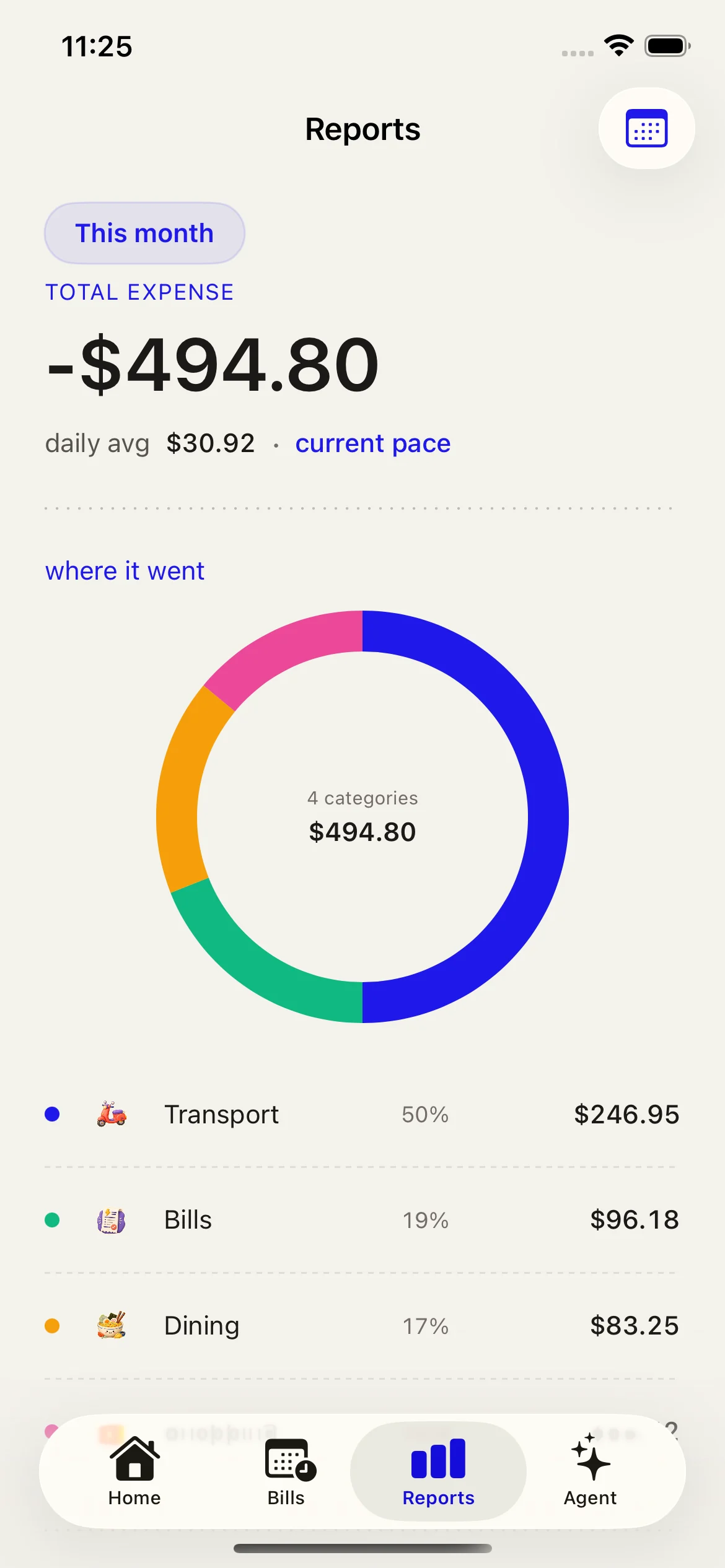
Home answers "how much this month?" Reports answer "where did it go?" with category and payment-method breakdowns.

  • Free users keep Home summaries and current-month totals.
  • Pro users unlock detailed breakdowns and simple rule-based insights.
  • Reports stay in your setup currency. Lumi does not convert currencies or use exchange rates.
Lumi Reports screen showing spending breakdowns for the current month.
Reports make the month scannable by category and payment method.

Free vs Lumi Pro

The screenshots above show the feature areas users run into most often. Lumi Pro expands capacity and unlocks detailed review controls without changing the local-first app model.

Feature
Free
Pro
Active subscriptions
Up to 3
Unlimited
Active installment debts
Up to 2
Unlimited
Detailed reports and insights
Not included
Included
Managed categories and payment methods
Not included
Included

Privacy, setup, and current limits

The screenshots on this page use seeded sample data. Your real expense records, recurring records, setup currency, and preferences are stored on your iPhone.

Setup currency

New users choose one setup currency during onboarding. Existing first-release users without a stored setup currency stay on VND. Lumi does not support per-expense currencies, exchange rates, or converted reports.

Not included today

Lumi does not include income tracking, budgets, cloud sync, export, social sharing, widgets, Apple Watch, Live Activities, or LLM-powered insights.